
Development update: work in draft PR #736. VaultSync 1.9.0 has not shipped.
Most of the recent 1.9.0 work has been foundations: deciding what a recovery image must prove and keeping unsupported combinations explicit. This time there is also something to click.
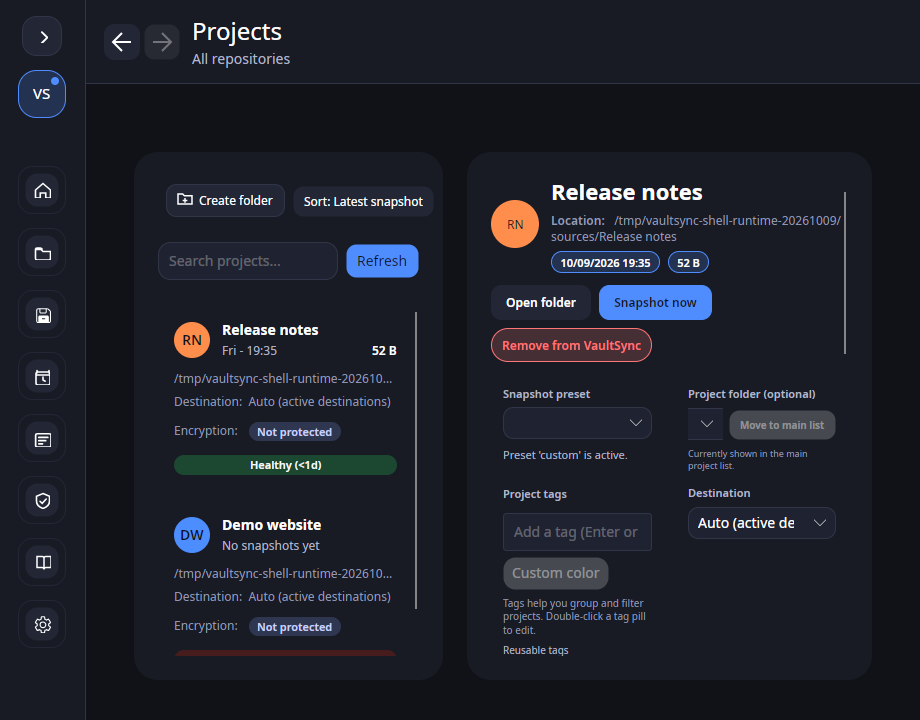
The development shell now has Back and Forward buttons beside the page title, plus Alt+Left and Alt+Right. They move through the pages visited in the current session. Going back and then opening another page starts a new branch; restarting resumes the saved last page rather than replaying the whole history.
A small button found several real problems
The useful test was not whether an arrow appeared. It was whether I could leave History, open Settings, return and still find the same filter and unfinished work.
Apparently a Back button comes with a complimentary tour of everything that forgets where you were.
That exposed a draft-loss bug. Refresh rebuilt the timeline rows, the list briefly cleared its selection, and unfinished snapshot labels, notes and tags disappeared. The refresh now preserves drafts for the same project and snapshot. Selecting a different snapshot loads that snapshot's metadata, and drafts remain local to the running session.
Two other fixes protect the next startup. Saved-page restoration now happens before a delayed callback can redirect the user's first navigation. Last-page writes are ordered and intermediate queued visits are coalesced, so a slow save cannot leave an older page as the location to resume.
The narrow-window check also caught snapshot statistics crowding out project names. Those card headers now use two lines, including projects with no snapshot.
Where this fits in 1.9.0
This is the first page-navigation increment under VS-1910, on the existing shell. It is not the complete Protect/History/Recover/Manage redesign. Linux native checks cover the recorded toolbar, keyboard, filter and draft scenarios; the complete platform and accessibility matrix remains open.
The screenshots use two synthetic projects and a real metadata snapshot of a tiny fixture file. There is no stored backup payload or disk image in that demo; History correctly calls it Metadata only. Disk capture, independent boot media and disk restore still need implementation and measured qualification. Stable remains 1.8.9.
The current local Release check passes 1,012 .NET tests and 144 Python tests, with no build warnings or errors. Hosted Windows, Linux and macOS build/test checks pass on this development commit. Sonar remains blocked while retrieving the pull request; that is an open check, not a green release gate.
The code, regressions, screenshots and limits are tracked in PR #736 and the navigation evidence.
When moving between backup history and settings, which bit of context matters most to you: the selected recovery point, filters, unfinished notes, or scroll position?