
There is a moment in recovery testing when the progress bar stops being the interesting part. You disconnect the original disk, start the recovered one, and wait to see whether it actually boots.
That happened in the latest VaultSync 1.9.0 development run. The installed recovery components captured a Linux disk, published a verified recovery copy, restored it through the graphical workflow, and read the destination back. A separate comparison found the original and restored disk contents identical. Then the restored disk booted on its own, reached a graphical terminal, and accepted keyboard input.
I have wanted to reach that point for a while. It matters to me because it moves VaultSync towards something bigger than keeping another copy of a project folder: helping you get a working machine back.
This is a development update, not the release of beta 1. Stable is still 1.8.9. There are remaining bugs and release checks, and I explain them below. But there is now a complete installed recovery run worth showing, along with the less dramatic work that has accumulated around it.
We also have an official Discord server now: join the VaultSync community. I would like it to become a useful place to follow development, discuss recovery workflows and, when the beta is available, compare test results.
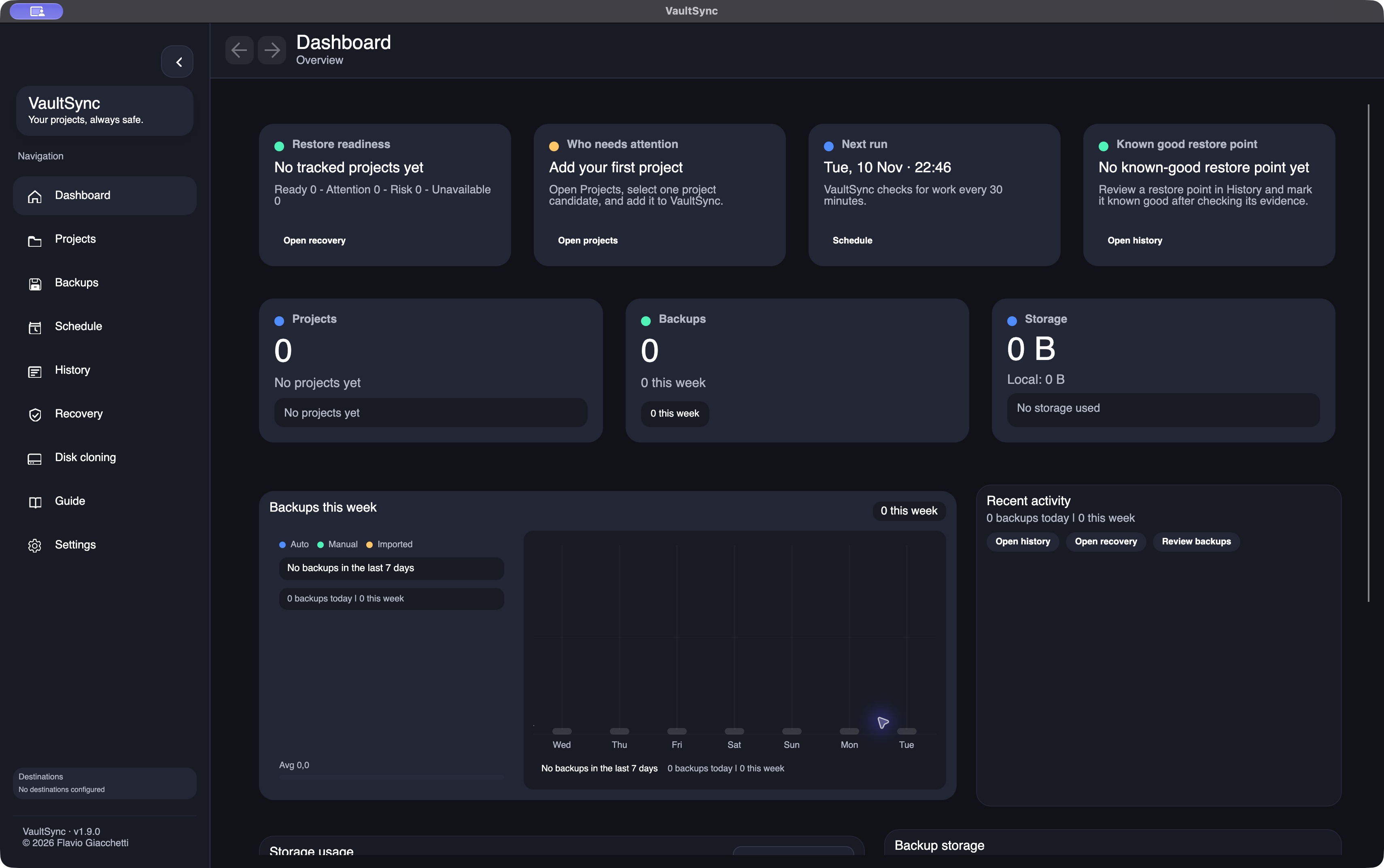
A fresh native macOS capture from November 10. This is an empty private test profile, so the app reports missing projects and restore points rather than displaying invented backup history.
What has changed since 1.8.9
The disk engine is the largest part of this release, but everyday backup work has continued too.
- Navigation remembers where you are. Back and Forward, keyboard navigation and saved location handling have received fixes, including startup ordering and unfinished History drafts.
- Imported projects are easier to recognise. Imported history can appear under Projects with an Imported label and an explicit indication that no local source folder is linked. Knowing a backup exists is different from knowing where its source lives on this computer.
- Metadata discovery is less manual. Enabled destinations are checked periodically after startup, with private copies used for read-only import and preview work. That helps machines discover shared history without treating a foreign machine's paths as local folders.
- Exclusion presets received practical repairs. Indexed preset selection is applied consistently across projects, CLI and backups. Unity's saved profiler captures are included in the exclusion work, alongside the generated data that can make an apparently small source project surprisingly large.
- Small interface defects have been addressed. Preset editing uses a consistent icon instead of depending on a platform-specific font glyph; narrow project cards and destination storage totals have also received fixes.
- Storage charts are drawn with Avalonia. The desktop retains project colours, sortable legends and tooltips while removing a separate chart dependency.
- Localization is part of each UI change. Dialogs, errors, accessibility text and updater outcomes need real translations across the maintained locales. Passing the string audit is one check; reviewing the rendered interface is another.
These changes are in development and review. They are not a claim that a new stable release has already shipped, or that cross-machine import makes every machine's configuration interchangeable. Local folders, permissions, secrets and device identity still need deliberate handling.
Recovery and disk cloning now have different jobs
The desktop has a dedicated Disk cloning page. Project recovery and its readiness information remain under Recovery. Keeping those jobs apart makes the navigation more understandable, particularly when recovering a project and replacing an entire system disk have very different consequences.
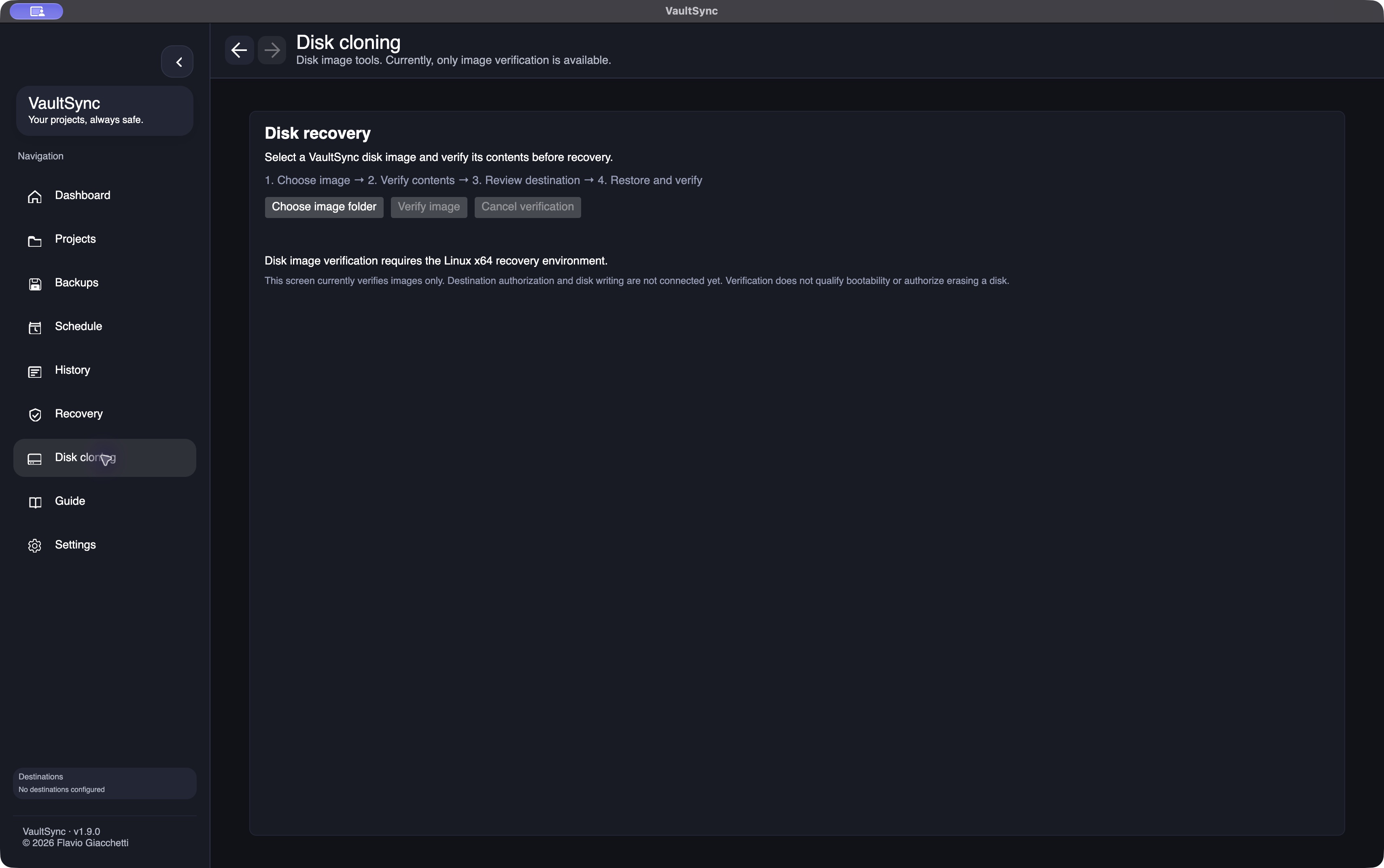
Actual November 10 development UI. The page states its current limits: the image-verification worker requires the Linux x64 recovery environment. This macOS screen is not evidence of native macOS disk restoration.
The desktop page is still limited. It is not yet a one-click “restore this machine at the next reboot” workflow. The successful write operation shown later runs through the separate installed offline recovery environment.
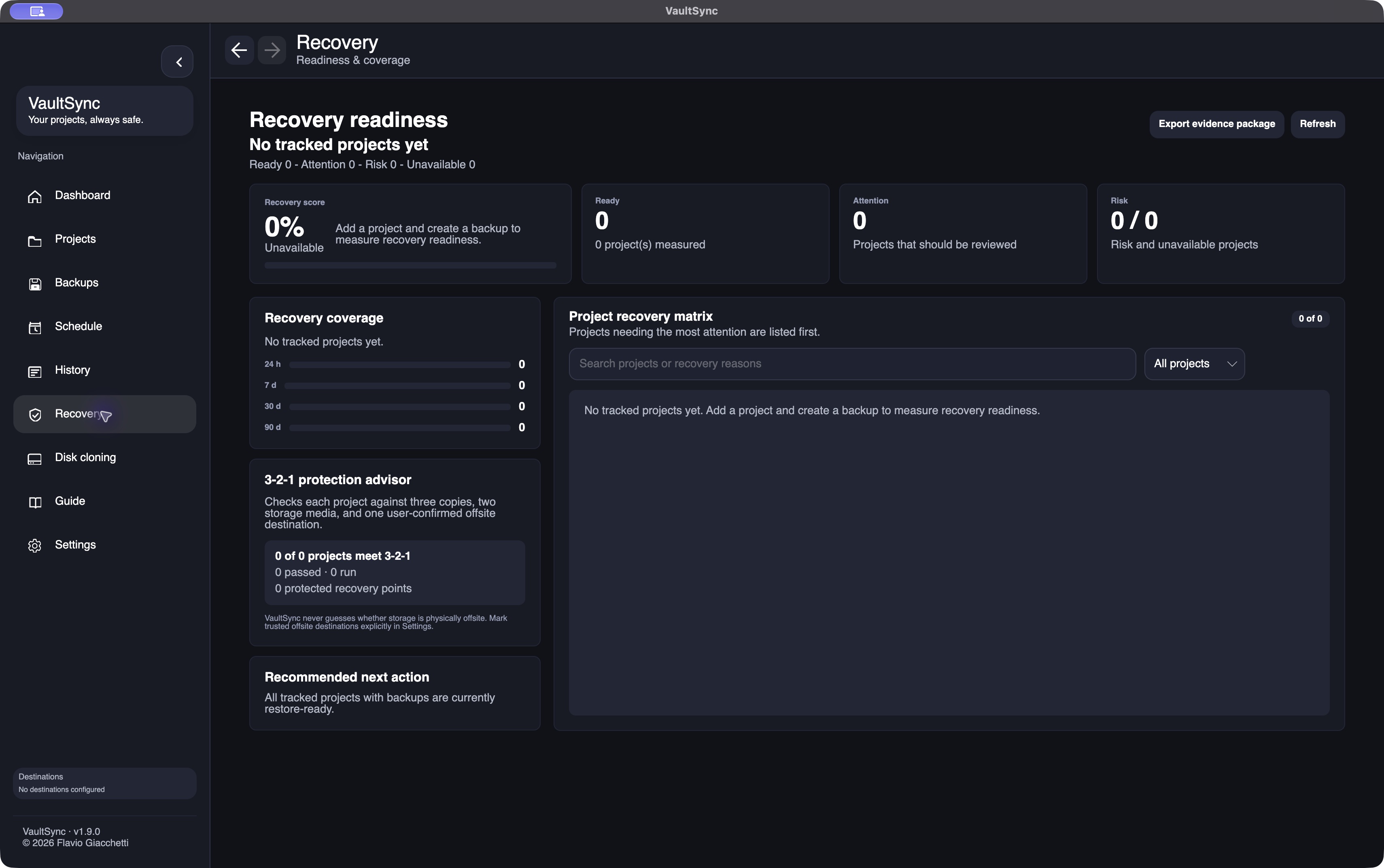
The empty test profile has no measured recovery points. These readiness cards should help explain the evidence available for project backups; a healthy-looking dashboard cannot establish that an operating-system image boots.
The actual run: capture, verify, restore, boot
The latest run used a disposable 3 GiB Debian Linux disk, GPT partitioning, UEFI boot and ext4, with 512-byte logical sectors. It had a real systemd installation and a lightweight Xorg/xterm graphical environment. It was deliberately small enough to inspect and repeat within a bounded local workspace.
During capture, the source disk was kernel-read-only. Recovery output lived on separate storage. During restore, the original source was disconnected. During the final boot, both the source and the image repository were absent: the restored destination had to start independently, with fresh firmware variables. There was no network during these stages.
This is a specific measured environment. It is not a result for every Linux distribution, a multi-terabyte disk, physical hardware or Windows/macOS recovery.
1. Capture through the offline console
The capture console requires an explicit source choice. After copying, it validates the image before publication and prepares a verified recovery copy for the graphical interface.
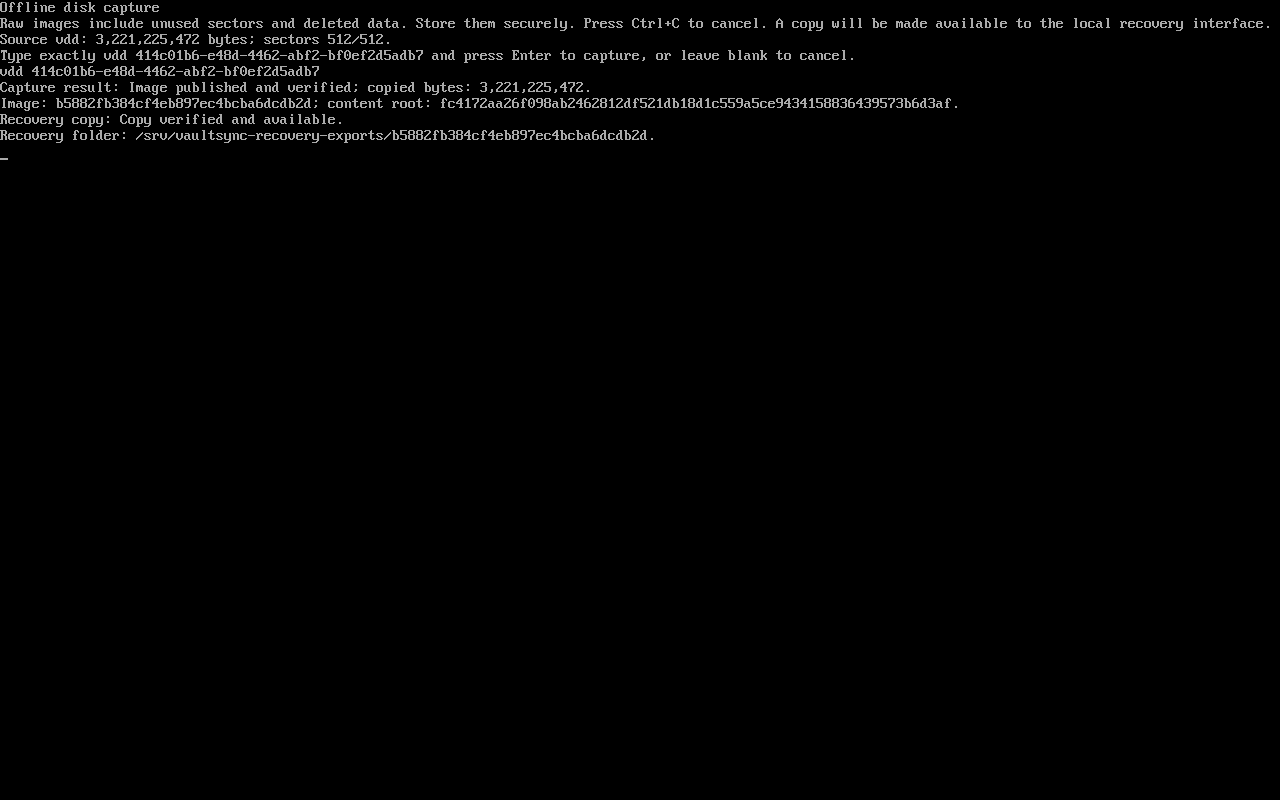
Actual console output from the November 10 run. All paths and disk identifiers belong to the disposable fixture. The published capture and its recovery copy are distinct: the original stays private.
That last distinction took real work. The privileged capture process and the unprivileged recovery UI cannot simply share arbitrary filesystem access. The implementation keeps the captured original private and gives the recovery side access to a separately verified copy, rather than changing permissions on an existing backup to make the UI happy.
The initial format is a complete raw image. It includes the supported disk's unused sectors and can include remnants of deleted data. It needs storage for the disk's capacity and must be treated as a sensitive copy. Live capture, encrypted-system handling and Secure Boot are separate requirements, not implied features of this run.
2. Find the image without memorising its path
The recovery wizard now lists recovery-copy candidates. A normal selection no longer begins with typing an exact directory name. Refresh is available, with a known-folder path retained as an advanced option.
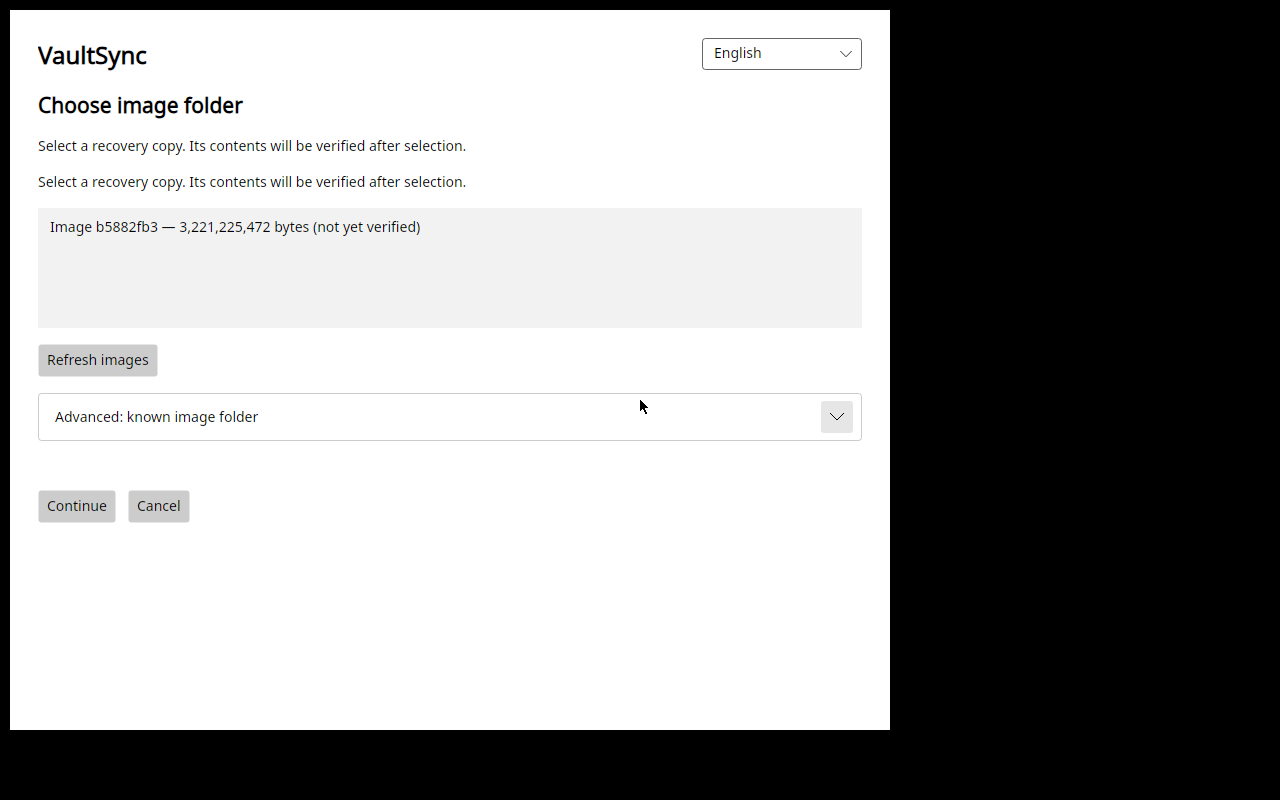
This is the actual image from the capture, found by the installed wizard. Its label explicitly says “not yet verified”: discovery is not an integrity result.
After selection, the image is independently checked and staged privately. Writable access to the staged copy is closed before it becomes a restore source. The parser runs in the isolated reader; malformed metadata, inconsistent GPT information or an unavailable trusted reader must not become a reason to skip validation.
3. Review the destination, then confirm it independently
The destination list in this run contained only the disposable empty target. The recovery system's disk and the image repository were not offered as ordinary overwrite choices.
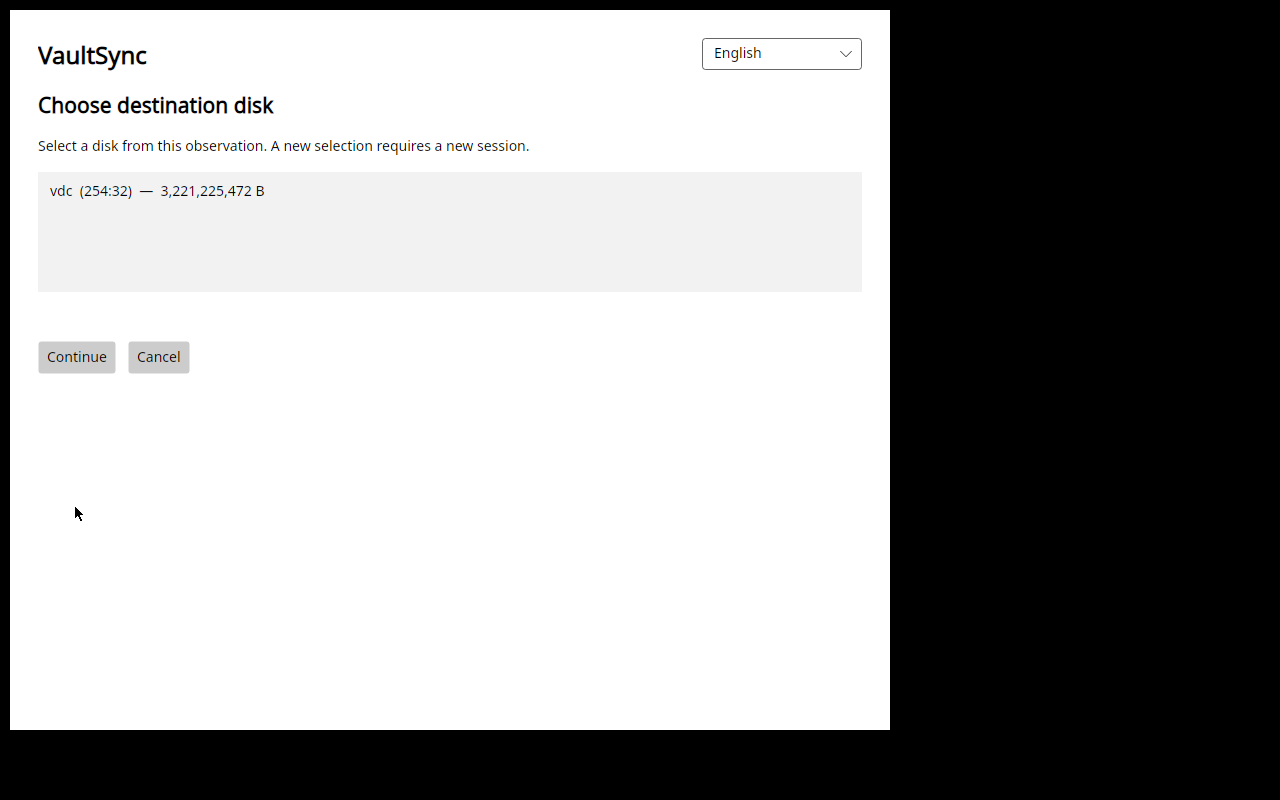
The next screen binds the review to the selected image, its content-root hash, the target identity, disk sequence, capacity and sector geometry.
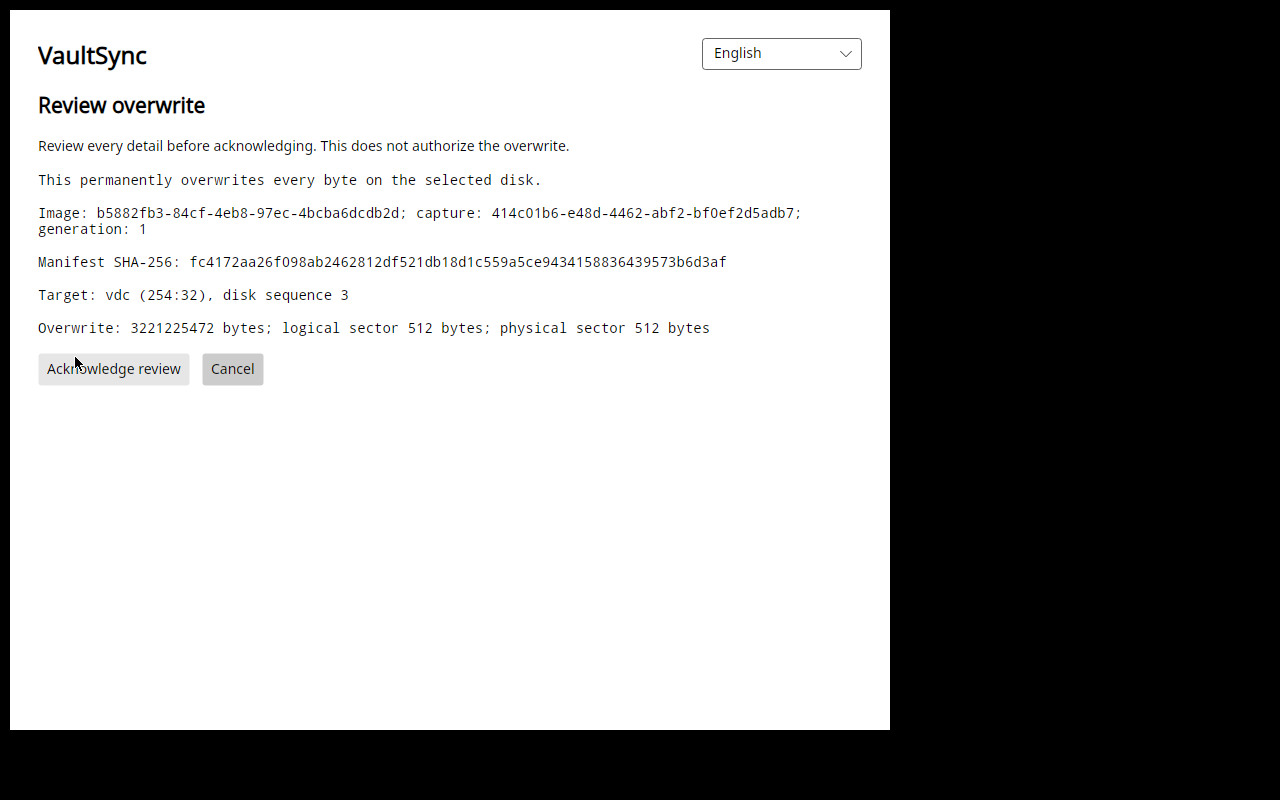
Acknowledging that screen is not itself permission to write. The independent physical console presents a fresh target-bound challenge.
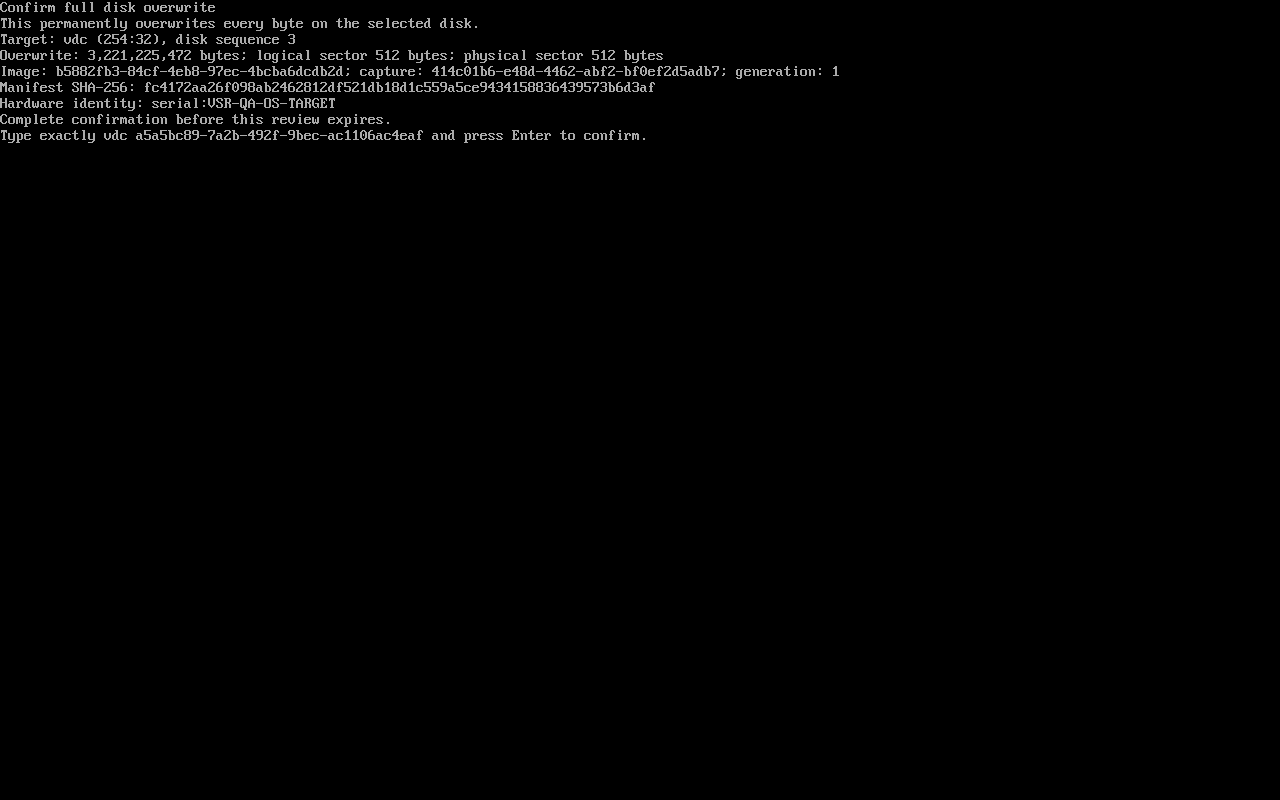
The challenge in this screenshot belongs to this completed test only. It is not a reusable command or an instruction for your own disks.
There is still UX work here. Exact-device confirmation should be understandable under pressure, and the installed media journey needs to be straightforward from beginning to end. The safety boundary and a polished user journey both matter.
4. Write, read back, and keep the actual outcome
After confirmation, the UI enters the restoring phase and reports acknowledged bytes.
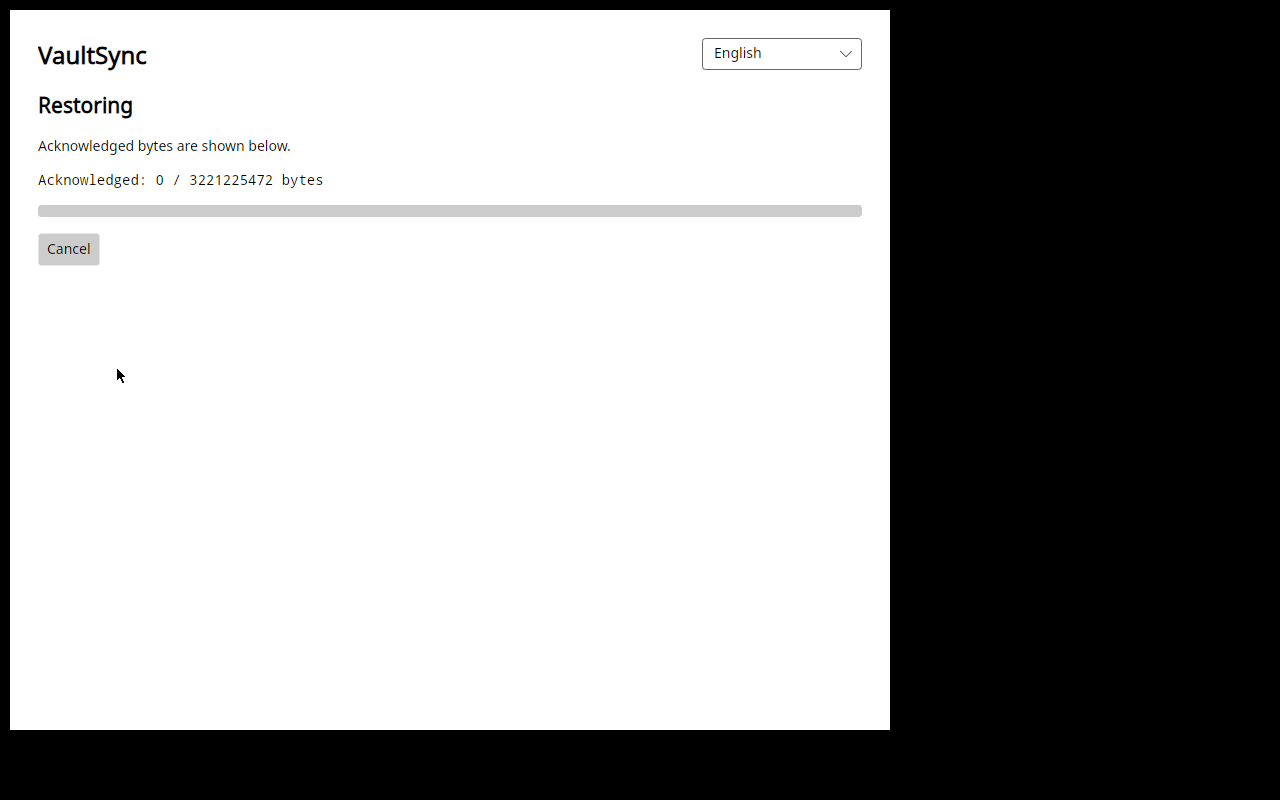
The writer keeps a durable journal. A completed write is followed by read-back; interruptions and uncertain cleanup must retain their real state instead of being presented as a clean refusal or success.
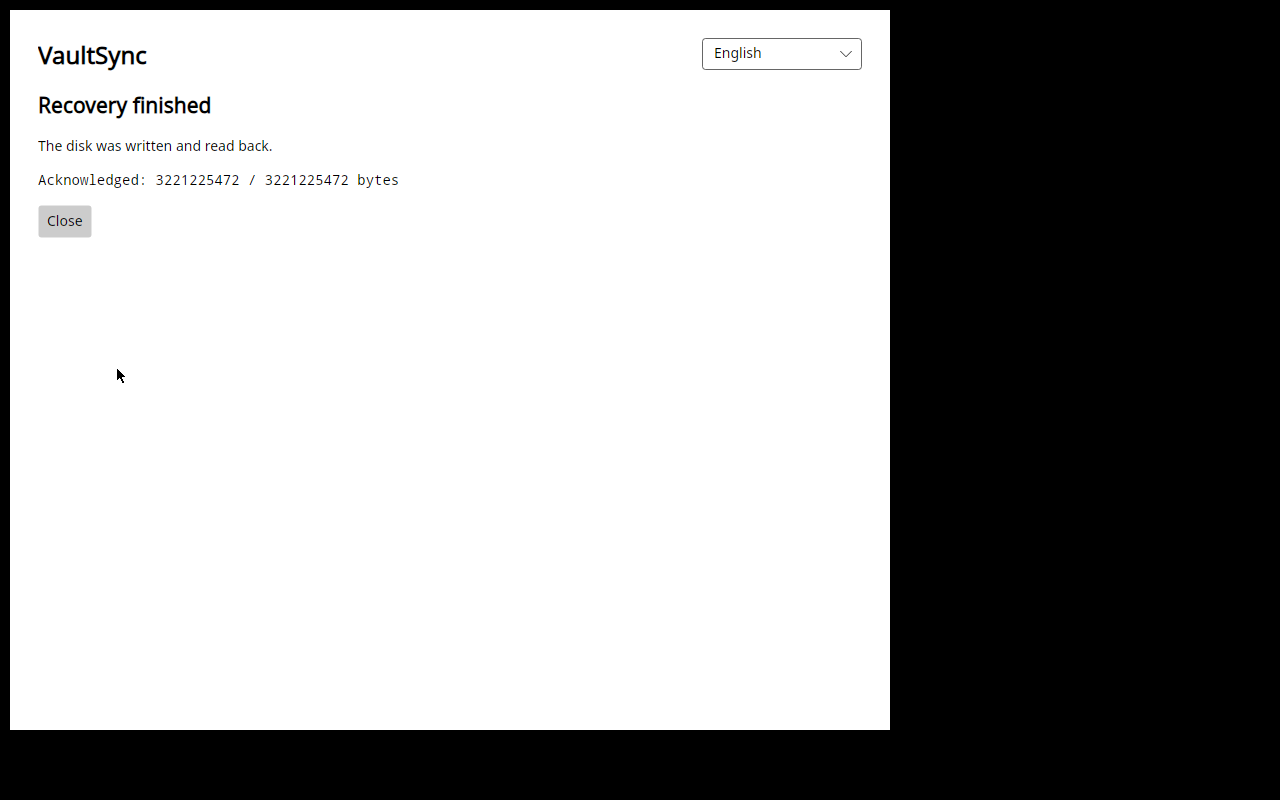
The final result for this run: 3,221,225,472 acknowledged bytes. The service exited successfully, and the final persisted receipt confirmed that its owned staging had been cleaned up.
5. Boot the disk that was just restored
Before allowing the restored OS to change its filesystem during boot, I compared the complete source and destination images. The result was identical contents.
Then the recovered disk was booted alone. systemd reported running; the original ext4 and partition identities and the fixture's existing files were present. The graphical terminal accepted commands, and a new marker was independently observed over the fixture's serial console before normal shutdown.
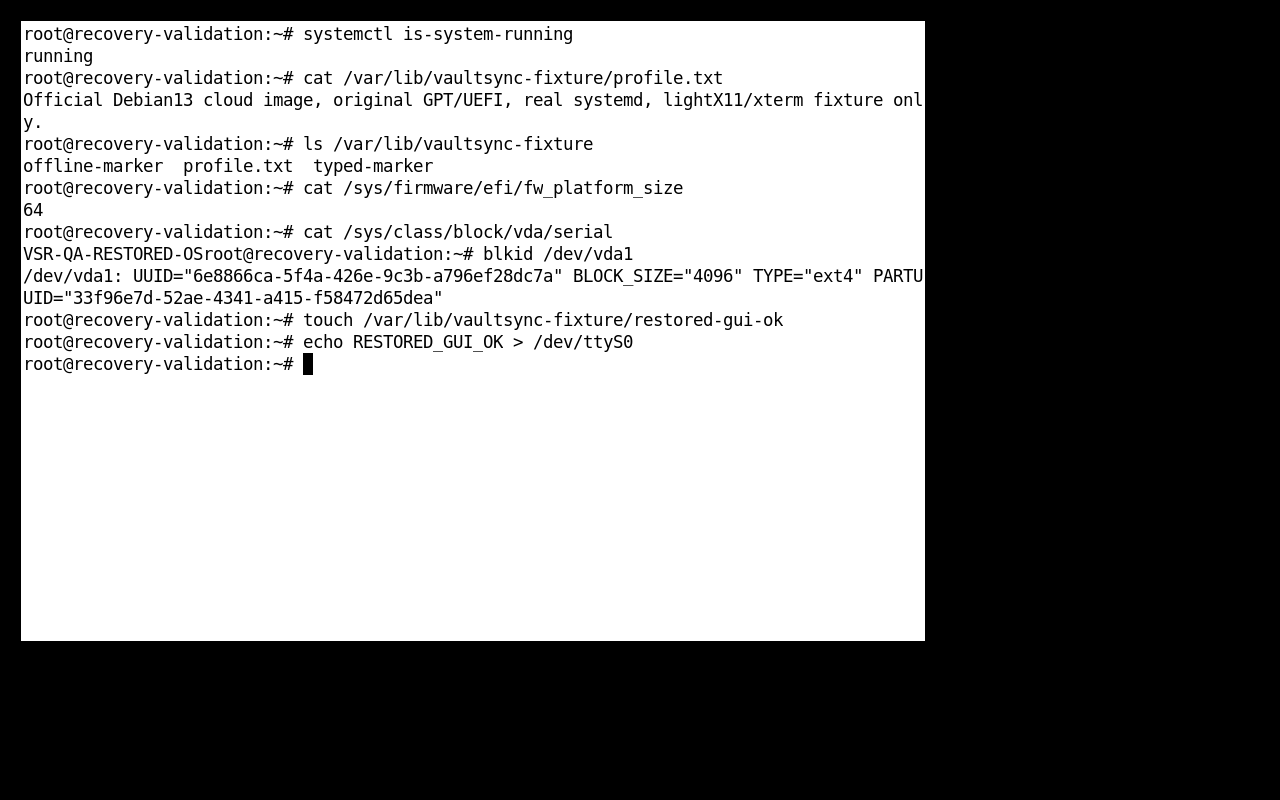
Actual restored-system interaction, with source and repository disconnected. This is a lightweight X11 test environment, not a claim of broad desktop or hardware qualification.
For anyone who enjoys the details: the frozen recovery executable source was 7ac4ee5, the serviced runtime was .NET 10.0.13, and the graphical installation inventory contained 675 files. The complete capture stage took 421.009 seconds; the restore session took 622.670 seconds. Those session timings include startup, verification and interaction. They are not disk-throughput benchmarks.
A performance bug that was doing the work twice
The isolated inspector was reading the complete payload twice. On the retained 3 GiB image, the earlier run hit its existing limit before finishing.
The repair carries forward the digest computed while fully verifying the sole payload. It does not trust a cached claim from a manifest and does not remove the independent checks at the capture, export or staging boundaries. GPT validation and cancellation still have to finish correctly before a verified digest exists.
With the same limits, the focused native reader test verified the image in 73.807 seconds, with 24,583 broker reads and a successful worker exit. That repaired the immediate repeated-work defect. It does not establish an adequate work budget for arbitrary disk capacities; that remains qualification work.
Compression: useful improvements now, experiments kept separate
Regular file backups still use compatible ZIP/DEFLATE archives. The development changes apply denser compression to appropriate Unity text formats, including scenes, prefabs and metadata, while keeping the existing archive reader compatible. Binary content needs different treatment; compressing everything harder is not automatically faster or smaller overall.
The separate experimental compressor explores content-guided choices, LZ-style matching, canonical Huffman coding and reversible lanes for numeric/GUID-heavy data. The important word is experimental. Its custom frames are not being written into your ZIP backups or disk images. The measurements do not establish that it beats mature codecs on general data, and finishing the complete 1.9.0 beta takes priority over that research.
Diagnostics that help with hangs as well as crashes
The diagnostic work covers structured technical events, including errors and stalled-operation reporting, rather than relying only on a crash report after the process disappears.
The beta policy enables expanded structured reporting by default only in executables compiled as the exact beta channel. Stable, candidate and ordinary development builds retain explicit opt-in. A prior refusal is respected, beta choices and queues remain separate, and moving to stable does not carry beta sending permission across.
Reports use bounded, allowlisted fields such as build/runtime versions, OS/architecture, operation and failure codes, coarse duration/count buckets and numeric code locations. They must not upload raw logs or dumps, file contents, names, paths, credentials or persistent user/device/session identifiers. Review, disable and deletion controls remain part of the workflow.
The fresh macOS build used for this article was an ordinary development QA build, with reports kept local and networking restricted. Its screenshots do not demonstrate beta-default sending or qualify the production delivery pipeline.
Why this is still an update, not beta 1
The successful loop is a substantial milestone. There are also concrete reasons I am not attaching a beta release announcement to it:
- The recovery display still has a redraw defect. Some partial updates turn most of the window black. Exposing the VT again made the full screen visible during the test, but that is not an acceptable final interaction. A scoped rendering candidate builds; native confirmation of the repair is still pending.
- Final media and profile qualification remain open. The installed VM run needs the relevant interruption/refusal matrix, capacity limits and the complete packaged-media journey around it. Post-restore VaultSync availability also depends on what the image contains; a universal reinstall and configuration handoff is not delivered by this test.
- The separate quality gate is not passing yet. At the checked
3ad6461analysis, security, reliability and maintainability were A, with reviewed hotspots complete. New-code coverage was 78.9%, below the unchanged 80% threshold. Useful missing cases need coverage; moving the threshold is not the fix. - Release packages have their own checks. The predecessor 1.8.9 upgrade, updater channel behaviour, provenance, final-asset verification and protected reviews still need their required evidence. Workflow attestations are distinct from platform publisher signing and notarization.
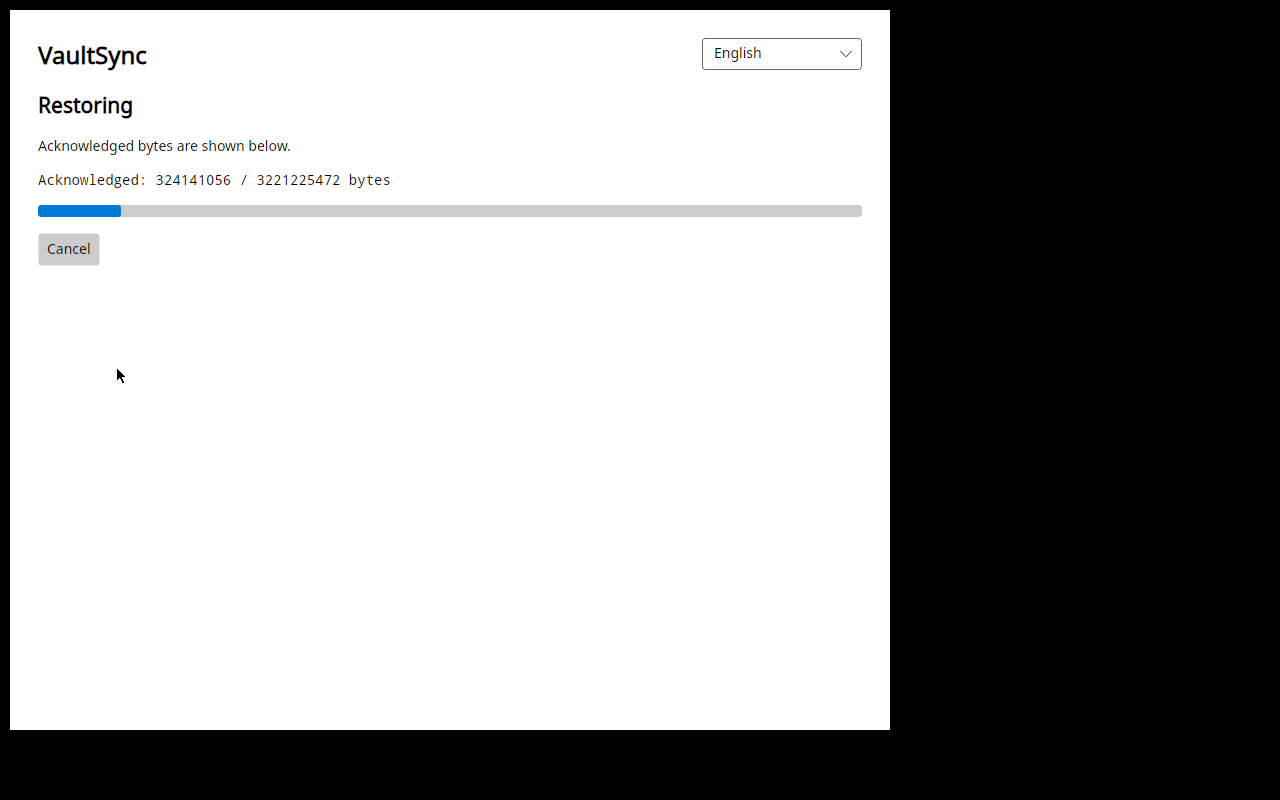
An actual failed redraw, included deliberately. The same run completed recovery, but the progress view still needs repair. A successful backend does not excuse an unreadable recovery screen.
The intended disk rollout remains beta 1: Linux, beta 2: Windows added, beta 3: macOS added. The ordinary desktop application continues on Windows, macOS and Linux in every beta. These stages concern new disk capture/cloning/recovery qualification, not dropping existing desktop support. Final macOS/APFS recovery needs its own implementation and measured boot work.
A beta can be built from a qualified preparation commit while the release PR stays open. The updater follows the packaged version/channel and published update assets; an arbitrary new PR commit is not automatically an update. The first beta's direct downloads are planned without Microsoft Store assets.
One roadmap clarification is worth repeating: the resource-oriented automation CLI shown in early diaries belongs to 1.9.5, with discovery/help work in 1.9.1. The offline capture and physical confirmation consoles shown here belong to 1.9.0. Earlier CLI work is preserved, but it is not all entering this binary.
Help shape the beta
This release matters to the future of VaultSync. I want the first beta to give people something concrete to test, with an honest boundary around what has and has not been proven. Watching a recovered system boot is a good reason to be excited. It is also a good point to be precise about the remaining work.
If you want to follow that work, join the official Discord. Bring the hardware and filesystem combinations you care about, the awkward recovery situations you have faced, and the parts of the workflow that would confuse you when a machine has already failed. Please keep backup contents, credentials and raw private logs out of public channels.
My question for this update: after a restore finishes, what would you need to see before trusting that machine again—boot, file checks, a working application, or something else?
The implementation remains in draft PR #736. The November 10 installed-loop receipt, staged beta program and compression plan contain the technical boundaries behind this update.
Image note: all twelve images are unmodified native captures from November 10. Three show the isolated macOS desktop QA build; nine come from the actual Linux VM recovery and boot run. Empty profiles and disposable test disks were used. None is concept art, and none establishes general platform qualification.