
A backup becomes useful when it helps you get back to work. With VaultSync 1.9.0, I’m taking that idea beyond individual files: capture a disk, verify the image, boot an independent recovery environment and restore a system that no longer starts.
That changes how I need to verify the work. An image appearing in the UI, or a successful build, does not yet demonstrate that a restored computer will boot. I want to explain what is changing, what has been tested, and how the betas will roll out.
The app stays on Windows, macOS and Linux
Every beta will retain the existing desktop application support for Windows, macOS and Linux. The platform stages apply specifically to disk cloning, system imaging and recovery.
| Planned milestone | Desktop app | New disk capability to qualify |
|---|---|---|
| Beta 1 | Windows, macOS and Linux | Linux system capture and recovery on declared profiles |
| Beta 2 | Windows, macOS and Linux | Windows system support, retaining Linux |
| Beta 3 | Windows, macOS and Linux | macOS support after APFS and boot qualification |
These are three functional rollout milestones. Fixes may require additional builds within a milestone. Every published build will have its own version; previously released assets will not be silently replaced.
Existing project and file-backup functionality remains available across all three desktop platforms throughout this process.
The whole recovery path has to work
Disk recovery involves five connected steps:
- Capture a consistent source disk.
- Validate the resulting image’s structure and contents.
- Boot a recovery environment independent of the system being restored.
- Restore to the correct destination after explicit confirmation.
- Validate again, including contents and booting the restored system.
A small synthetic copy test is useful for finding defects. Supporting an operating system also requires an actual boot and interaction with the recovered system.
I’m keeping an explicit profile matrix covering partition tables, firmware, filesystems, sector sizes, recovery environments and limits. The initial Linux direction uses GPT/UEFI and ext4. Support will be declared for combinations that have actually completed qualification.
Why the first capture path is offline
The first implementation captures an offline, kernel-read-only disk so its contents cannot keep changing during the copy. The image repository must be on a different physical disk, and that relationship is checked before creating output directories or reserving image space.
The initial image is raw and includes the complete supported disk. It can contain unused sectors and deleted data that has not yet been overwritten. It needs suitable storage space and should be treated as a sensitive copy.
Live capture, encryption and Secure Boot have their own requirements. The first disk beta will document its limits, with additional combinations declared only after their implementations and measurements are ready.
A dedicated page, with explicit overwrite confirmation
The application now has a dedicated disk-cloning page. The offline recovery environment also has its own interface for selecting an image, observing available disks, reviewing the operation and displaying the outcome.
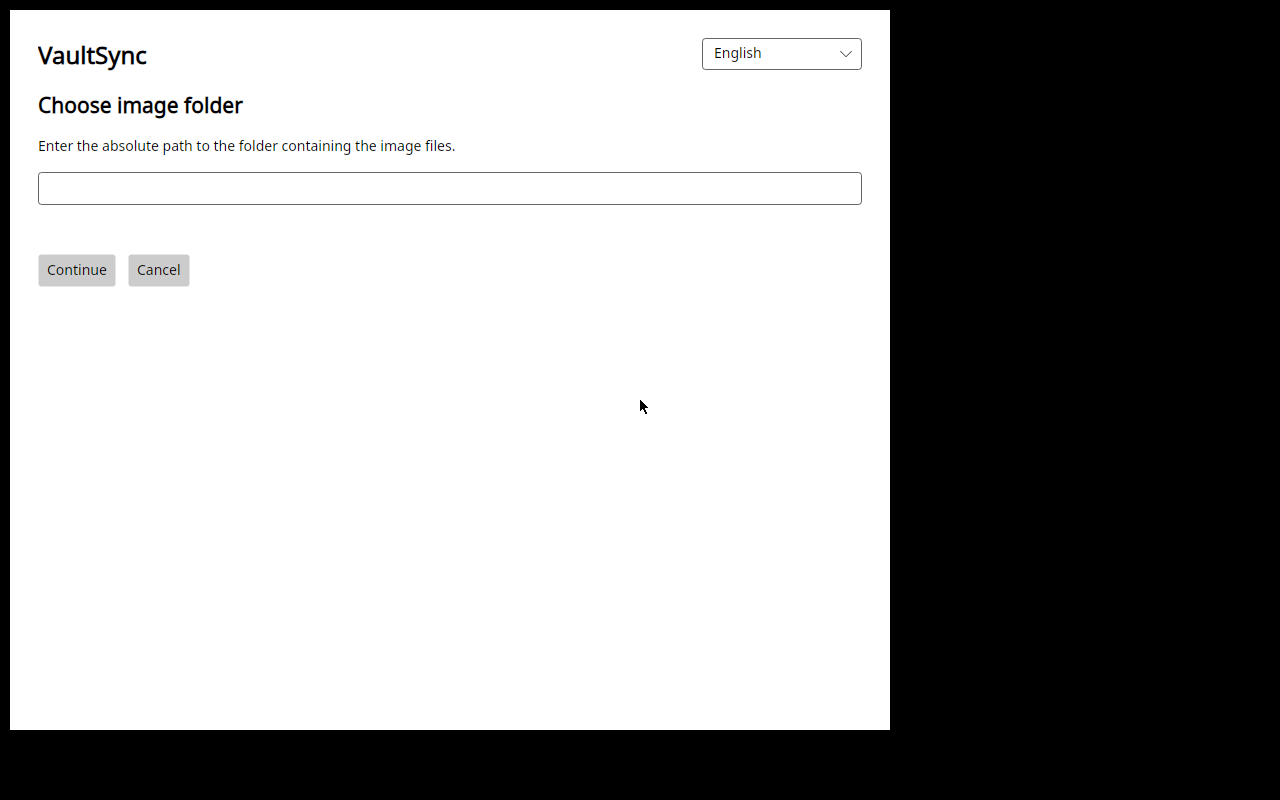
Real recovery UI captured in the validation VM on November 5, from development build caa8ebf. This demonstrates the flow, not qualification of a disk profile.
Selecting a destination in the UI and authorizing an overwrite are separate steps. Physical confirmation must refer to the current disk and review. A changed selection or expired observation must invalidate earlier consent.
The UI does not receive a general-purpose elevated command endpoint. Sensitive work goes through a fixed recovery-media entry that checks its environment, installed files and the identities involved. Image inspection also uses a separate reader with restricted access.
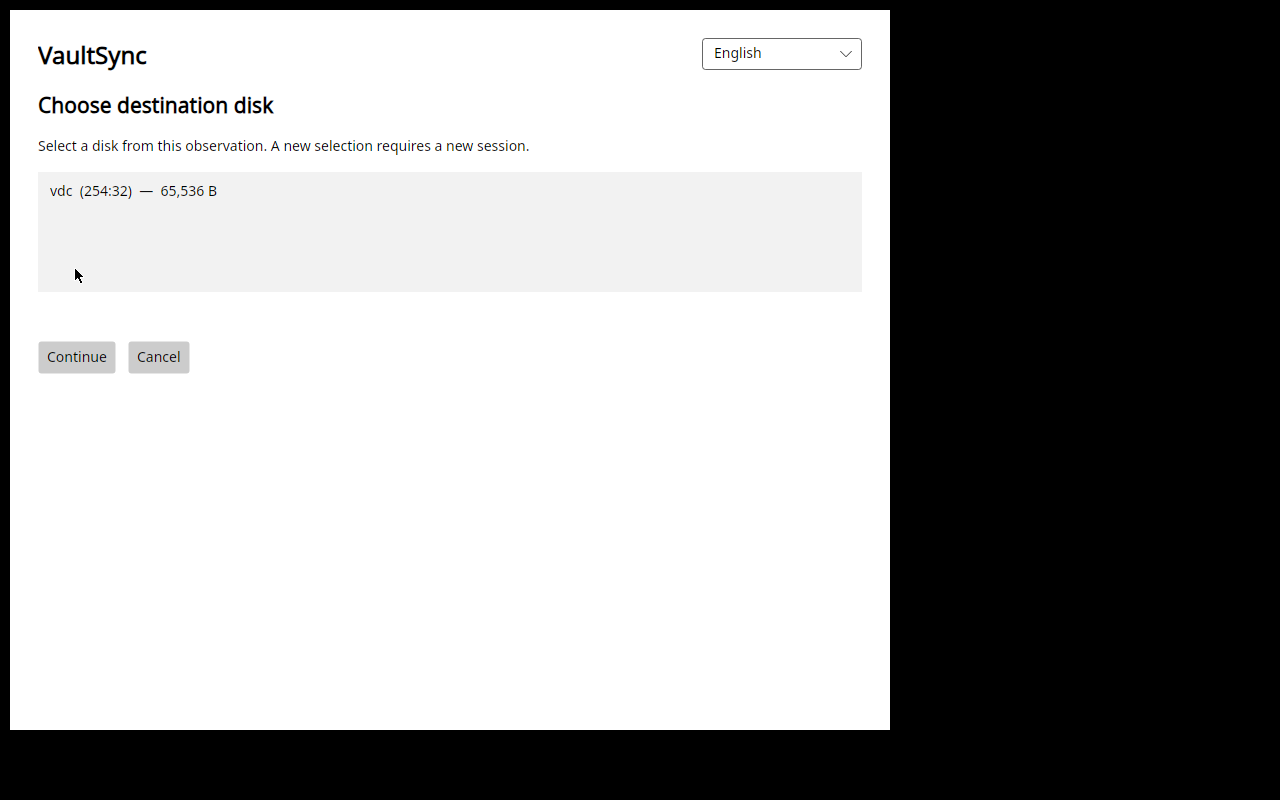
Real November 5 VM destination list from build caa8ebf, with a small synthetic disk. The illustrated test covers selection and cancellation without authorizing writes.
Published, interrupted and unconfirmed must mean different things
Much of the work concerns failure: cancellation, insufficient space, read errors, presentation problems and interruption around image publication.
If an image has already been verified and published, a later screen error must not turn that fact into a report that no image was ever created. A process or environment failure still needs to remain visible. Those are separate pieces of information.
An unconfirmed publication must also stay unconfirmed. Partial images and interrupted operations need explicit outcomes.
The full flow must include access to images created by VaultSync itself. A private original and a copy made available to the local recovery interface have different responsibilities. The verified-copy export bridge is now implemented and has passed focused checks: the private original keeps its restrictive permissions, while a separately validated copy becomes readable by the recovery interface. Native installed verification and the complete operating-system recovery loop remain open.
What has been verified so far
The development VM has displayed image selection and the destination list. Cancellation, closing the wizard and removal of controller resources have been checked, with the synthetic target unchanged. The new installed capture entry has passed focused tests and review of its safety boundaries.
These are component results. Real capture from installed media, access to the resulting image and recovery of a complete operating system still need to be completed and measured. Disk beta readiness depends on that qualified path and the distribution checks.
Everyday use matters too
The 1.9 work also includes improvements across the desktop apps: recognizable imported projects, periodic metadata checks on enabled destinations, exclusion presets, navigation and localization.
The aim is to reduce repeated setup when moving between machines while keeping it clear which data is local, which comes from another computer and where the user needs to make a choice. Detailed controls remain important for people who want to configure their own workflow.
More useful beta diagnostics
Builds compiled as beta use structured technical reporting enabled initially, with a localized notice and controls to review it, disable sending and remove local data.
Reports use fixed fields, size limits and retention bounds to distinguish operations, phases, errors, crashes and hangs. They do not upload raw logs, memory dumps, file contents, paths, credentials or persistent user or device identifiers.
A previous refusal is respected. Beta preferences and queues are separated from stable preferences and queues. Stable releases retain explicit opt-in. Selecting the beta update channel does not itself change the reporting policy of a stable executable.
Compression research runs alongside the release work
I’m also exploring adaptive compression that can choose different approaches for different data. Hybrid experiments and measurements exist, but an experimental format is not replacing the product’s backup format today.
A production change needs representative comparisons, CPU and memory measurements, verified restored contents and a compatibility path. ZIP remains supported for backups that already use it. This research runs alongside development and must not delay the beta’s required functionality.
From the betas to the final release
Each milestone adds qualified disk capabilities while retaining earlier support. Windows needs its own full NTFS loop. The initial offline recovery environment remains Linux x64: the source operating system and the environment booted to perform recovery are separate parts of the profile.
macOS needs dedicated work on APFS, boot and platform constraints. That milestone is in the rollout plan; its implementation and qualification remain open, including Apple hardware constraints.
The final release needs the planned functionality, a measured support matrix, beta fixes and verified updates from 1.8.9 that preserve user data. Packages, manifests and assets must be bound to the exact source and verified under the provenance and signing policy. Those attestations are separate from native operating-system publisher signatures.
Betas can be distributed from the preparation branch while the development PR remains open. The updater needs a consistent release identity, a tag at the correct commit and verified assets; publishing a beta does not require prematurely merging the PR.
Every beta announcement will include its measured profiles, instructions, limits and known issues. Testers will have a specific path to exercise and a clear way to describe what happened. That is how I want to make 1.9 useful to test and dependable to use.
Development checkpoint: November 6, commit 37d7b80. The beta program records the staged plan. No 1.9.0 beta is available at this checkpoint.